Appointments
Record the appointment, and let the family sort the rest
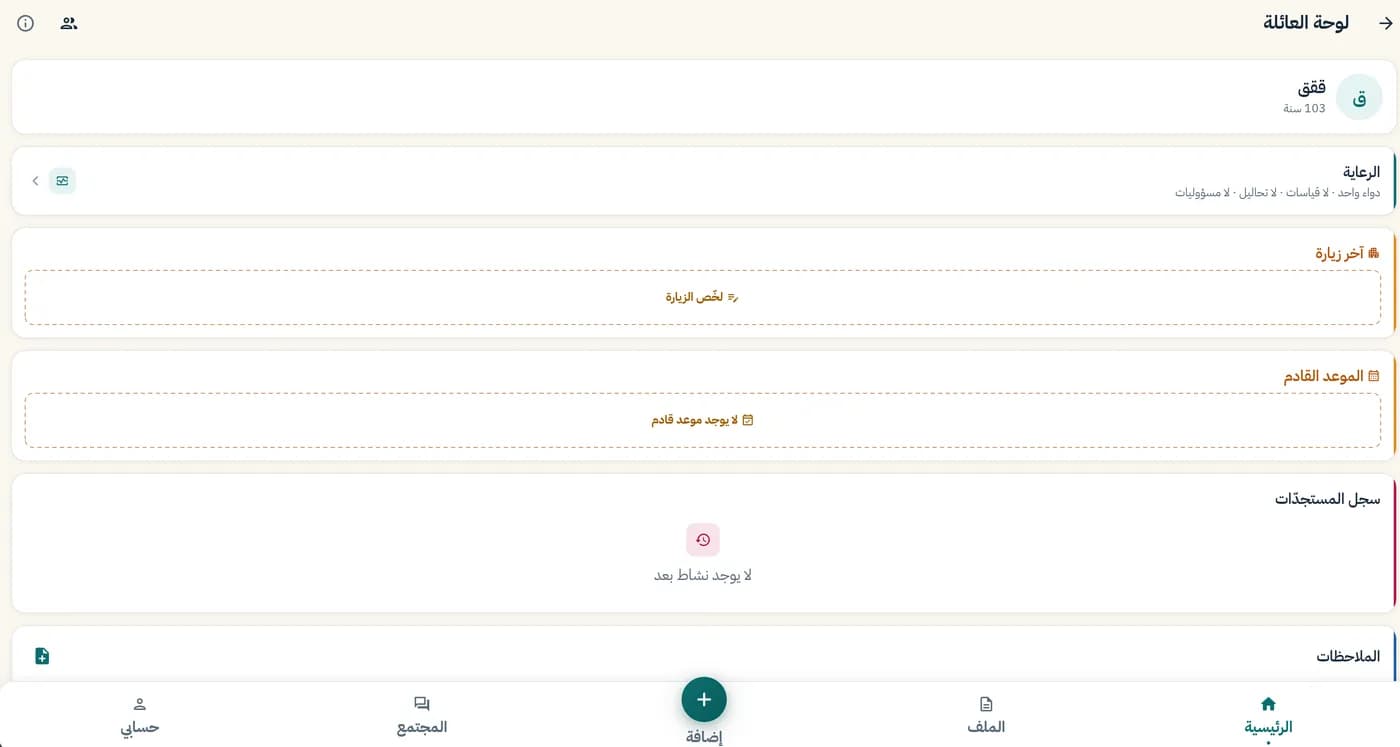
Record the hospital, clinic, doctor, date and time. The appointment appears on the family board, so everyone can agree who goes along and sort out the trip.
All servicesWhat you can do today
- Hospital, clinic and doctor's name
- Appointment date and time
- The next appointment shows on the family board
- After the visit: "Summarise the visit" on the board
How it works, in three steps
- 1
Choose "Appointment" from the add button.
- 2
Enter the hospital, clinic, doctor, date and time.
- 3
The family sees it on the board and agrees who goes along.
Limits of this service
The app only records appointments. It doesn't book them with the hospital or clinic.
From the app
Related services
Family board
One shared space for the family around a parent.
Learn moreFamily participation
Invite relatives by mobile number and choose their relationship.
Learn moreMedical file
Conditions, allergies and key details in one file.
Learn more