Family participation
Invite the people who care with you
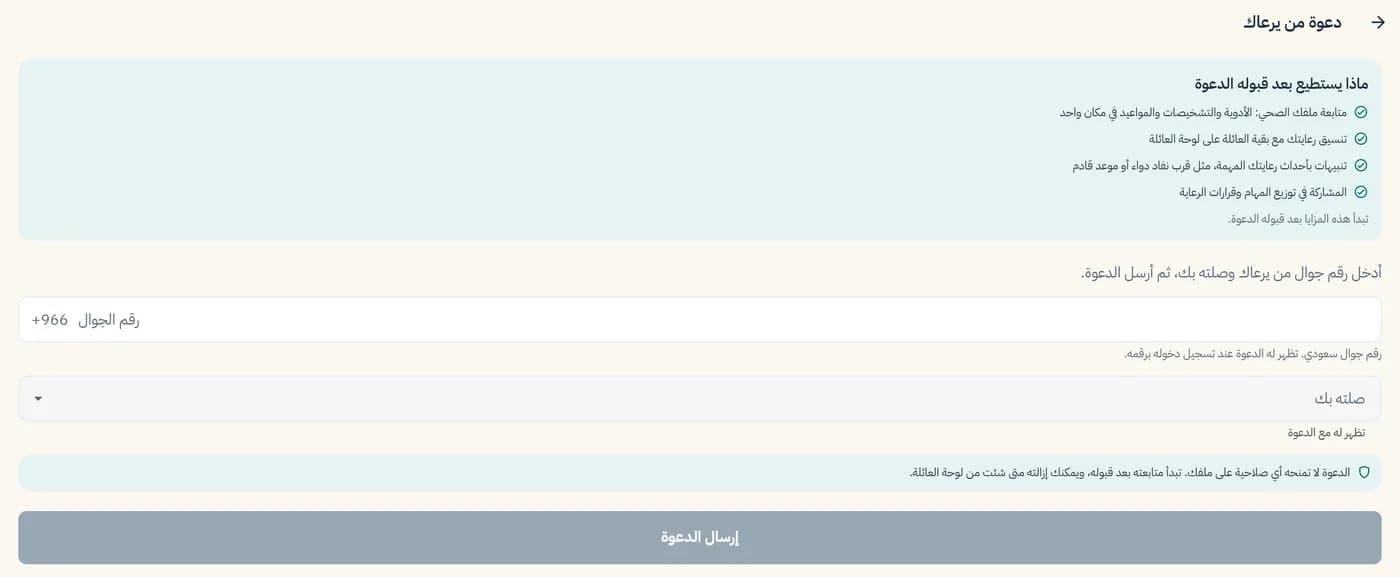
Enter the mobile number of someone who shares the care, choose their relationship from nine options, and send the invitation. It gives no access to the file until it's accepted, and you can remove anyone at any time.
All servicesWhat you can do today
- Invite by Saudi mobile number
- Nine relationships to choose from: son, daughter, husband/wife, brother/sister, grandson/granddaughter, private nurse, caregiver, domestic worker, other
- An invitation gives no access until it's accepted
- Remove anyone from the family board whenever you like
How it works, in three steps
- 1
Tap "Add a member" and enter their mobile number.
- 2
Choose how they're related to you.
- 3
Send the invitation. They can follow along once they accept.
Limits of this service
The person you invite sees nothing in the file until they accept.
From the app
Related services
Family board
One shared space for the family around a parent.
Learn moreFamily decisions
Vote together; the care lead makes the final call.
Learn moreAppointments
Record an appointment and share it with the family.
Learn more